
How to Stop Double Booking for Good
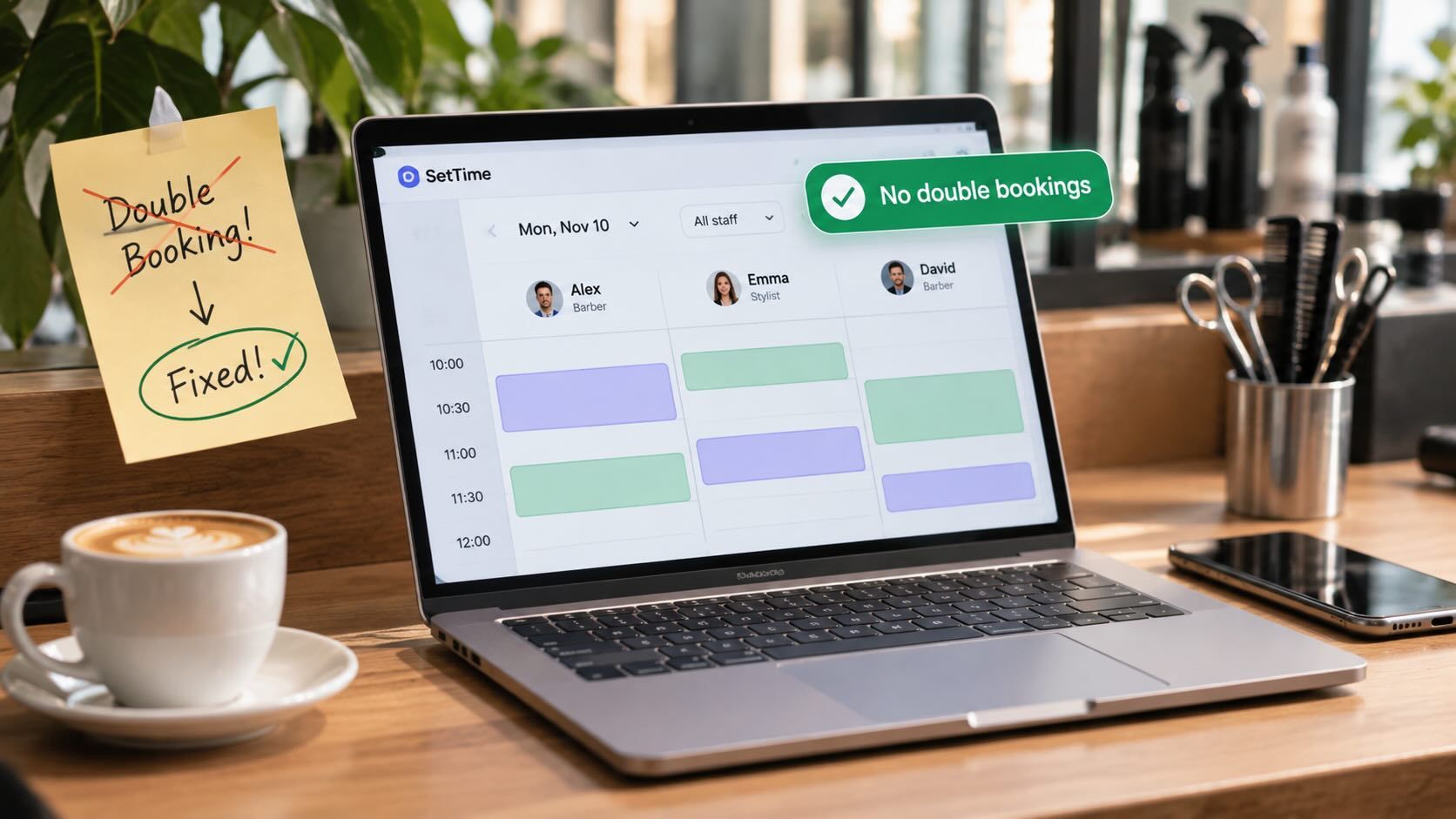
It's 10:55 on a Tuesday. Your 11:00 client is hanging up her coat when a second woman walks in. She booked the same slot by Instagram message last week, and it went into the paper diary instead of the app. One of them will leave unhappy.
Double bookings rarely come from carelessness alone. In a small shop they come from a few predictable leaks: two places where bookings live, service times that don't match reality, two people booking at once, and changes that never reach the calendar. Close those and the problem nearly disappears. Below: a 15-minute audit, the fix for each leak, and what to say when it happens anyway.
Where do double bookings come from?
Almost every double booking traces back to one of six leaks. The table is the short version of this article: find the leak you recognise, then jump to its fix.
| Leak | What it looks like | Fix |
|---|---|---|
| Two books | Phone bookings go in a paper diary, online bookings in an app | One calendar; every other channel is only an inbox |
| Booking from memory | "I'll put it in after this client" | Enter it before you end the call or chat |
| Wrong service lengths | A colour that takes 105 minutes is booked as 90 | Time real services and update the durations |
| Two people booking at once | The owner and an assistant both give away the 3:00 slot | One shared, live calendar on every phone |
| Changes that never reach the calendar | A client moves to Thursday by text; the Tuesday slot stays | Move the booking while you're still in the message |
| Hidden personal time | School run, dentist, day off not blocked | Block personal time like an appointment |
Accidental double booking vs. planned overlap
This article is about the accidental kind: two clients who both expect your full attention at the same time. That is different from a planned overlap, where you start a second client while the first one's colour processes or a dog dries in the kennel.
Planned overlap can be good business, but only when it's deliberate and you know your timings. Separate hands-on time from hands-off time, then start with one overlap a day. If the overlap happens by accident, it's a double booking, whatever the calendar says.
How common is double booking?
Common enough to plan for, especially in a small shop. With one chair, one table or one van, there's no spare capacity to absorb a mistake: two clients for one slot means one of them waits or goes home.
The risk grows with every channel you take bookings through by hand. Phone, DMs, texts and the front desk each add a chance to write the same hour down twice, which is why the rest of this article is about closing them into one calendar.
The 15-minute double-booking audit
Do this once, on a quiet afternoon, with your calendar open. The gaps it reveals are your to-do list.
Rule one: one calendar, everything else is an inbox
If bookings can be written in two places, they eventually will be. A paper diary next to an app, a stylist's notes next to the shop calendar, a marketplace profile next to your own booking page: each pair is a double booking waiting to happen.
Pick one calendar and make it the only place a booking exists. Phone calls, DMs and texts are inboxes: they collect requests, but nothing is booked until it's in the calendar. The simplest habit that enforces this is a sentence your whole team uses: say "confirmed" only after it's in the calendar.
The fewer bookings you type in by hand, the fewer chances to slip. That's why many small shops move most of their bookings to a link clients use themselves; our guide to what a free online booking system really includes covers what you get without paying.
| Channel | Who handles it | The rule |
|---|---|---|
| Phone | Whoever isn't with a client | Book it during the call and read the day and time back |
| Instagram and Facebook messages | One named person, at set times | Send the booking link; if you book by hand, enter it before replying |
| WhatsApp and texts | Same person as messages | Same as messages; never "pencil in" |
| Front desk | Whoever is at the desk | Calendar on a phone or tablet, never on paper |
| Online booking link | Nobody | Lands in the calendar on its own; check that it really does |
Fix your service lengths before they fix your Saturdays
A service booked shorter than it takes doesn't look like a double booking on screen, but it behaves like one. Every short slot pushes the next client back, until two people are waiting for the same chair.
Time five to ten real appointments of each common service, from the moment the client sits down to the moment the station is ready again. Use the typical time, not your best day, and round up to the next 15 minutes. Our post on managing time in a salon explains why that cleaning and reset time belongs in the booking, not in your lunch break.
Here is an illustrative example from a two-chair hair salon that timed its services for two weeks:
| Service | Booked as | Typical real time | New booked time |
|---|---|---|---|
| Women's cut and blow-dry | 45 | 55 | 60 |
| Root colour | 90 | 105 | 105 |
| Men's cut | 30 | 30 | 30 |
| Blow-dry | 30 | 35 | 45 |
| Balayage | 150 | 180 | 180 |
Now picture one stylist's Saturday, booked back to back from 9:00 a.m. with two women's cuts, a root colour and a balayage. On paper that's 45 + 45 + 90 + 150 = 330 minutes, so the day ends at 2:30 p.m. In reality it's 55 + 55 + 105 + 180 = 395 minutes, ending at 3:35 p.m. The client booked for 2:30 waits 65 minutes, and the stylist who was "fully booked but on time" has been running late since the second client of the day. With the new booked times (60 + 60 + 105 + 180 = 405 minutes) the same four clients fit, the day ends at 3:45 p.m., and the next client simply books for 3:45.
Two or more people, one calendar
In a team of two to five, most collisions happen when two people answer at once: one on the phone, one replying to a DM, both giving away the same slot. The fix is one shared calendar that updates on everyone's phone, plus a few house rules.
One person owns the phone at a time. On a busy day, decide who answers until lunch and who answers after. Everyone else lets it ring through to them.
Staff book only into their own column, unless they've asked the colleague first. Moving someone else's client without telling them is how two people end up expecting the same 4:00.
Take two minutes each morning to scan the day together for overlaps and services that look too short. Catching a conflict at 8:50 means a phone call; catching it at 10:55 means an apology in person.
Common double-booking mistakes (and how to fix them)
1. "I'll put it in after this client"
You're mid-fade, the phone rings, you agree Friday at 2:00 and promise yourself you'll enter it later. Later, someone else books Friday at 2:00 through your booking link. Fix: if you can't enter it now, don't confirm it now. Say "I'll text you within the hour to confirm" and keep that promise from the calendar.
2. Moving a booking in the chat but not in the calendar
A client texts to move from Tuesday to Thursday. You reply "no problem" and carry on. Tuesday's slot still looks taken, and Thursday's looks free. Fix: move the appointment in the calendar first, then reply. The same goes for cancellations: delete the slot immediately so someone else can have it.
3. Leaving your own life out of the calendar
The school play, the dentist, a family wedding: if it isn't blocked, a client will book it. Fix: put personal time in the calendar the moment you know about it, as if it were a client. For days off and holidays, block the whole day.
4. Keeping standing appointments in your head
Your longest-standing regular has come every second Wednesday at 10:00 for four years, so nobody writes it down. Then a new client books that Wednesday at 10:00 online. Fix: add every regular as a recurring appointment, at least two months ahead, so the slot shows as taken to everyone.
5. Squeezing someone in without checking the next booking
A quick beard trim "only takes ten minutes" until it takes twenty and your 3:00 is waiting. Fix: before you say yes, look at the next booking and the real length of the service. Our article on handling walk-ins alongside appointments has a simple rule for how close to a booking you can take one.
What to do when you've double-booked a client
Even with tight habits, it will happen occasionally. When it does, decide quickly who keeps the slot, based on things like who booked first and whose appointment is time-sensitive, then offer the other client a new time and a gesture.
A workable rule of thumb for a small shop: the client who booked first keeps the slot, unless the other one is already in the chair and the first can be reached before leaving home. Whoever gives up the slot gets the next good time and something real for their trouble, like a free add-on service or a discount on the rebooked visit. Then name the leak that caused it, so it doesn't happen twice.
How SetTime helps you keep one calendar
SetTime is built around the one-calendar rule. Clients book themselves through your online booking page, at any hour, and those bookings land in the same daily and weekly calendar where you add phone and DM bookings by hand. Each staff member has a work schedule, so their hours are set in one place, and the calendar is on the web and in the iOS and Android apps, so whoever answers the phone sees the same day as everyone else.
Standing clients go in as recurring appointments, so their slots stay taken. Email reminders and follow-ups are included in the free plan. Upgrading adds SMS and WhatsApp reminders, lets clients confirm or cancel over WhatsApp, and unlocks multi-service appointments and unlimited staff, all part of the Pro plan. You can see how this works for a busy salon on the hair salon booking software page.
What it won't do: the pricing page doesn't list sync with Google or Outlook calendars, so put personal time into SetTime itself, and build cleaning or reset time into each service's length.
Final recommendation
Double booking is a process problem, so fix the process before blaming the person. Start with the leak your audit points to:
- If you're solo and book through three or more channels: put your booking link in every bio and auto-reply, and stop writing bookings anywhere but the calendar.
- If you have two to five people: one shared calendar, one phone owner per shift and a two-minute morning check.
- If conflicts come from running late: retime your top five services this month.
- If the same leak causes two conflicts in a month: change the rule, then tell the team.
If your current setup has more than one book, start a free SetTime account and move everything into one calendar this week.
Frequently asked questions
Double booking is two clients in one slot by mistake. Overbooking is deliberately booking more clients than you can serve, as airlines do, betting that some won't show up. Service businesses with one client per chair or table rarely benefit from overbooking; deposits and reminders are a safer answer to no-shows.
Not by itself, as long as it writes into the same calendar you use for everything else. Problems start when you run two systems side by side, for example a marketplace profile and your own booking page, or an online calendar plus a paper diary. Use one system, or confirm that both really share one calendar before you go live.
Keep a read-only copy instead: print or screenshot tomorrow's list at closing time. Never write new bookings on it. A backup you write into becomes a second book, and that's the most common leak of all.
It happens when someone books online and then calls to "make sure". Search the client's name for duplicate bookings once a week, and when you find one, message them to confirm which time they want before you delete the other.